This is in the situation of a **1080p** video.
#### HLR Standards These are guidelines to be followed by HoloResort Translations subbers.| ##### **Font Family** | [**Noto Sans Japanese (Noto Sans JP)**](#bkmrk-font-familynoto-sans "https://fonts.google.com/specimen/Noto+Sans+JP") - Use Black (900) font weight |
| ##### **Font Size** | **100-120 (Standard is 110)** - It should still be readable when viewed on a **portrait mobile screen**. |
| ##### **Border or Outline Size** | **7-8 (Standard is 7.5)** |
| ##### **Border or Outline Color** | [**VTuber Color Reference**](https://docs.google.com/spreadsheets/d/1NKgTRraQz44xdxSp6smtWuSC4Ol3U8HD9an5d61Q8Vs/edit#gid=0) - The border color should be contrasting to the video’s general tone. - If it’s dark, use lighter colors and vice versa. |
| ##### **Shadow** | **0-1 (Standard is 0.5)** - Shadows here are used as **indents** rather than actual shadows. It's used primarily to make the text **pop out more**. (**Shadow Indention**) - You should only choose the “shadow’s” color in the selected border color’s grayscale. |
For general and basic typesetting advice, we recommend lyger's [Subtitling Guide](https://lyger.github.io/scripts/guides/subtitling.html).
These are all-purpose guidelines we recommend for all subbers. ##### Font - It should be easily distinguishable. - It should be moderately thick. - There are no unnecessary shapes to the characters. ##### Font Size - The cap height should cover around 8% of the screen. - ~80 pixels on a 1080p video. - Too small and it can’t be read on mobile vertical; Too big and it’ll steal most of the attention. ##### Border Size - ~⅓ of the font’s thickness. - Eyeball it until it feels right. - Find the right balance for your font. ##### Border Color - [**VTuber Color Reference.**](https://docs.google.com/spreadsheets/d/1NKgTRraQz44xdxSp6smtWuSC4Ol3U8HD9an5d61Q8Vs/edit#gid=0) - It should be easily distinguishable who’s who. Especially in a collab. ##### Shadow - Personally, using it other than indenting text is just a waste. - I won’t go past 3 - Might use it for **ShadTrick** instead. --- Note to HLR Docs Editors: - Link to ShadTrick # Margins, Alignment, and Positioning It's not just about how each of the letters and lines look, but a major part of how subtitles can look good and be readable is how the subtitles are framed within the video. Specifically, the margins, alignment, and positioning of the subtitles.For general and basic typesetting advice, we recommend lyger's [Subtitling Guide](https://lyger.github.io/scripts/guides/subtitling.html).
#### Margins The Left and Right margin should at least be 60 (Standard is 150) - It shouldn’t be anywhere near the edge of the screen. - It should always be **near the center**. Vertical margin should at least be 80 (Standard is 100).The position of the subtitles should **NOT** be **touching the YouTube player bar**.
It shouldn’t be able to **cover more than the chin of the talent**.
#### Alignment - `an2` for general subtitles. - `an5` for tag manipulation and animations. - an7 for drawings. #### Positions The positions are dependent on what you are subbing. - If the video is a **Free Talk or Story Telling**, it should be centralized on either the center of the screen or where the talent is. - If the video is a **game-play**, it should be centralized on the gameplay and avoiding GUIs and Menus. - The consensus is it should be over **where the audience will be looking**. These are common examples of where subtitles should go. [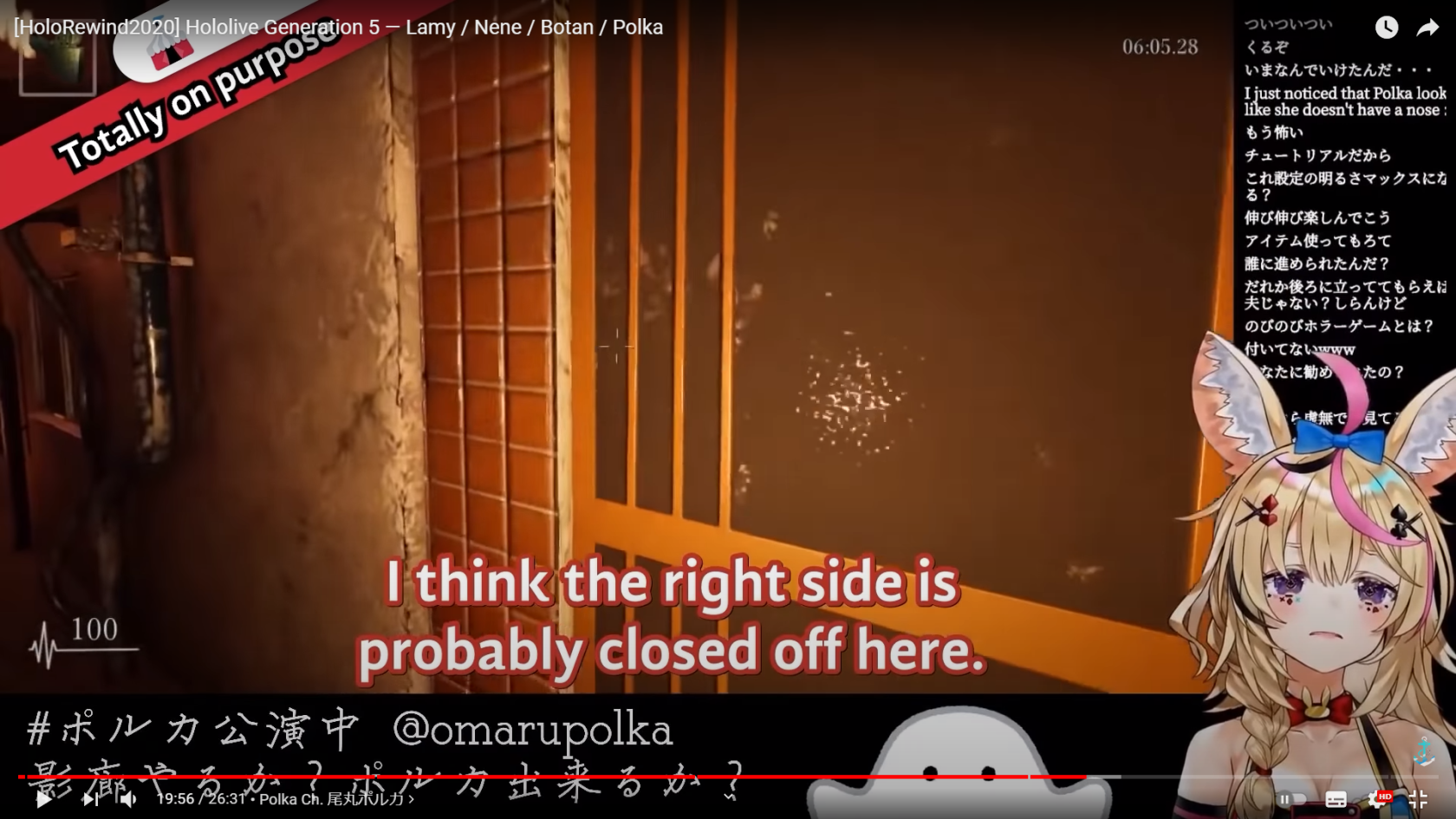](https://wiki.holoresorttls.org//uploads/images/gallery/2025-06/scaled-1680-/Zw0F0sT7p45MzYEN-image11.png) [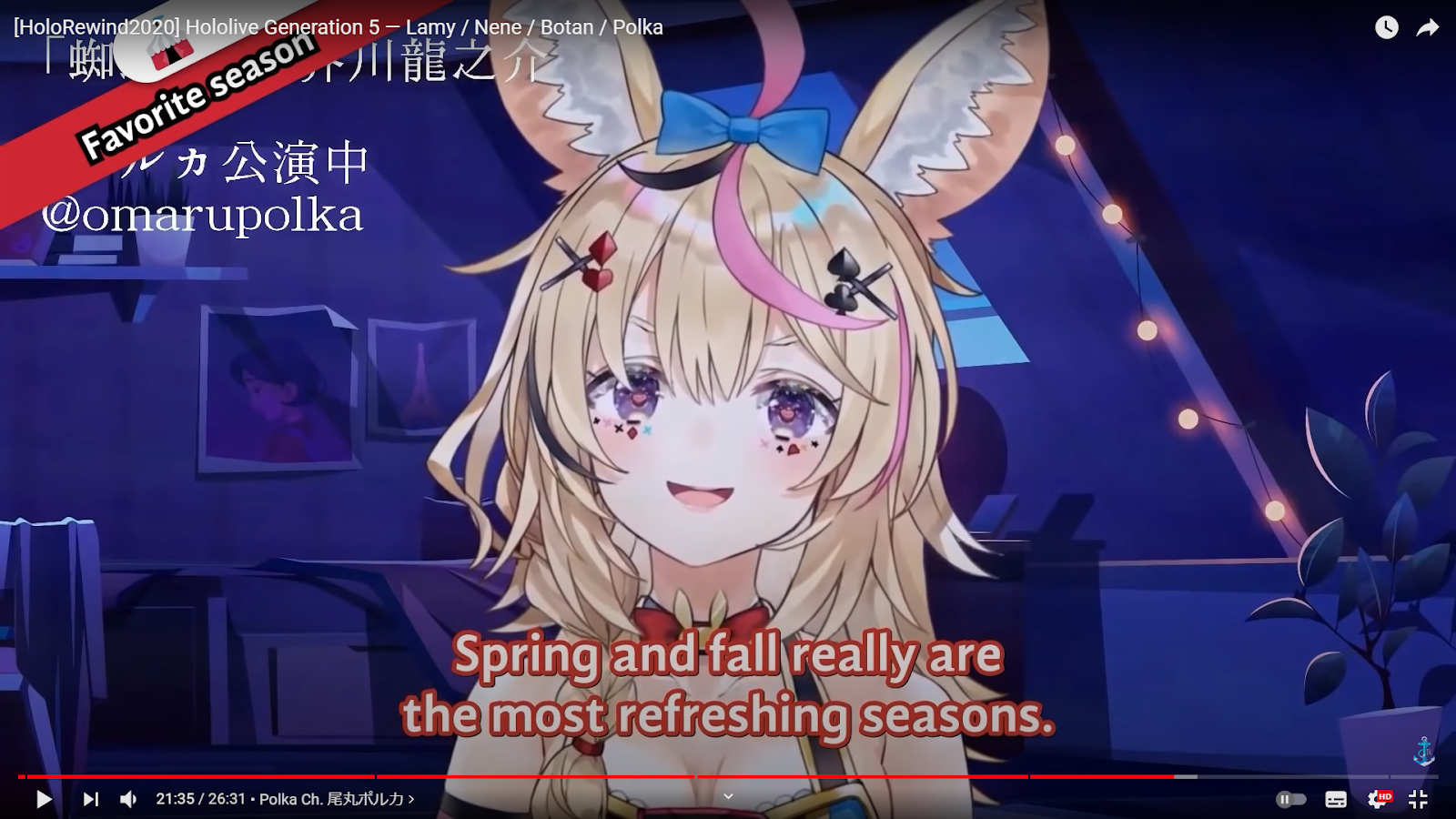](https://wiki.holoresorttls.org//uploads/images/gallery/2025-06/KemKvGsqRRt36U0H-unnamed-1.png) #### Collabs **Define their positions**. If one goes on top of the other, that one should always be on top and vice versa. If there is a line break, put the top’s position to the one below. - If the top speaks earlier and has a line break but the bottom also speaks later on, keep the top’s original position. # Line Breaking and CPSNote: This section is partially based on the [**BBC Subtitle Guidelines**](https://www.bbc.co.uk/accessibility/forproducts/guides/subtitles/#Line-breaks).
#### CPS (Characters Per Second) > CPS measures the number of characters, including spaces and punctuation, that appear in subtitles per second. > - Amara Characters per second is the scale of how readable text is in conjunction with reading speed. It determines whether or not there is enough time to read a certain subtitle line comfortably and without trouble. The simple objective is: low-ish CPS good, high CPS bad.| [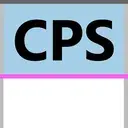](https://wiki.holoresorttls.org/uploads/images/gallery/2026-04/scaled-1680-/1ng6H6K31xFZTJAE-851731644380479488.webp) | [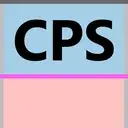](https://wiki.holoresorttls.org/uploads/images/gallery/2026-04/scaled-1680-/yVvvLwwY7USWN7AT-859690432890929173.webp) | [](https://wiki.holoresorttls.org/uploads/images/gallery/2026-04/scaled-1680-/H4W0hHHbWyRyZSXu-811488521563013131.webp) |
**If there’s more than 3, good luck.**
# Double Border - Installation of automation tools will be more detailed below. - Double borders are used to give *****more visibility***** to the text for the viewer. - It’s only used if: - The border color is too light. - If it’s ****yellow****, always use Double Border. - The margin of the subtitles already has text behind it. - The margins of the subtitles are noisy and hard to see without it. This is the settings used for adding double border: [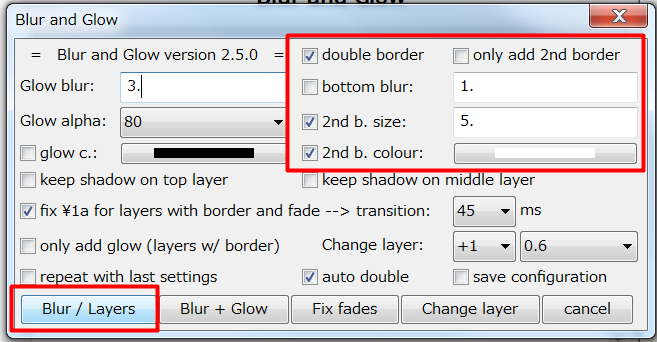](https://wiki.holoresorttls.org//uploads/images/gallery/2025-06/rtZlBIYtvXKG2BU6-unnamed.png) You can check “save configuration” to save this configuration.****Shadow Indention**** can be used as a substitute or in addition.
# Tips and Shortcuts You can save styles on your style manager to always have a preset whenever you are doing a new project. This can save time if you have all the default settings already made and just need to be readjusted accordingly. [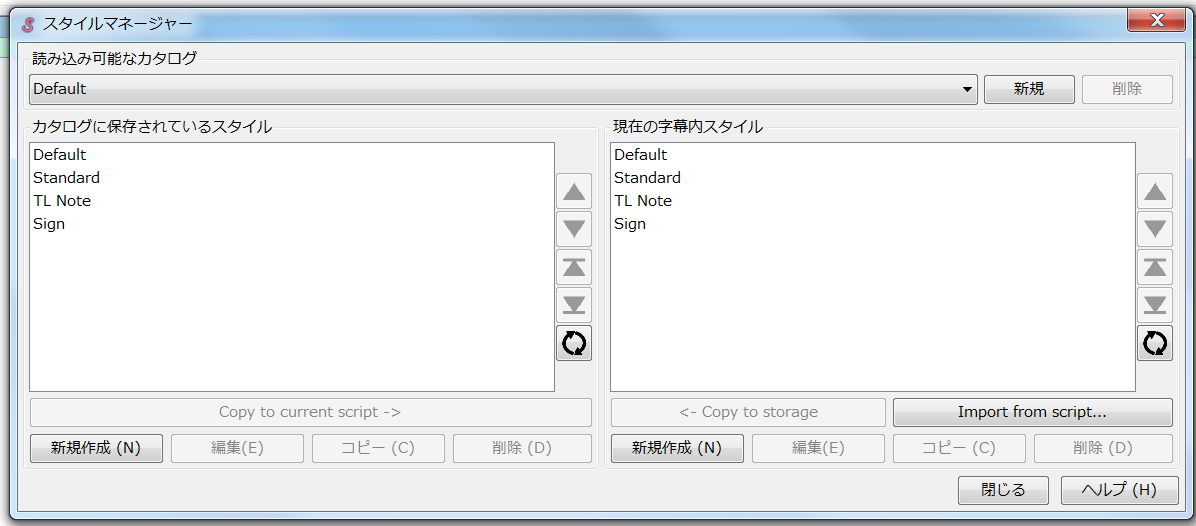](https://wiki.holoresorttls.org//uploads/images/gallery/2025-06/scaled-1680-/aunphM2C5n3gtzGo-image15.png) Having a standard that fits this guideline is advisable. # Typesetting Examples ##### Standard subtitles under normal circumstances **Taken from** [*****Iofi has to scold her chat \[Hololive Eng Sub | Airani Iofifteen\]***** ](https://youtu.be/m0DuDrL7Xz4) [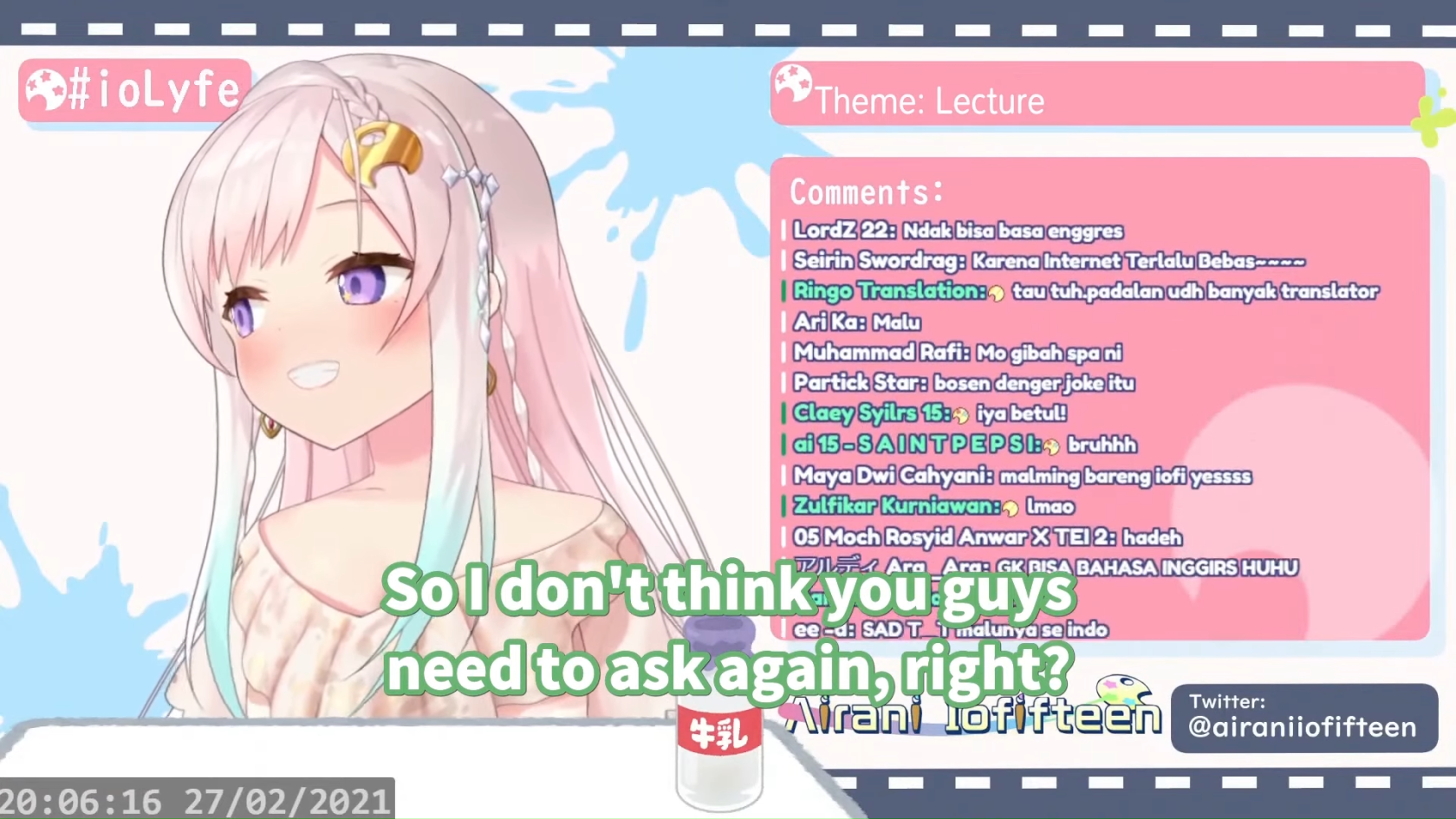](https://wiki.holoresorttls.org//uploads/images/gallery/2025-06/scaled-1680-/vdTESsyZSmQRDKKq-image14.png) ##### Standard subtitles made to fit the game’s UI Taken from [*****Ollie tries to steal from Moona, fails \[Hololive Eng Sub | Kureiji Ollie / Moona Hoshinova\]***** ](https://youtu.be/podkUDjg4VA) [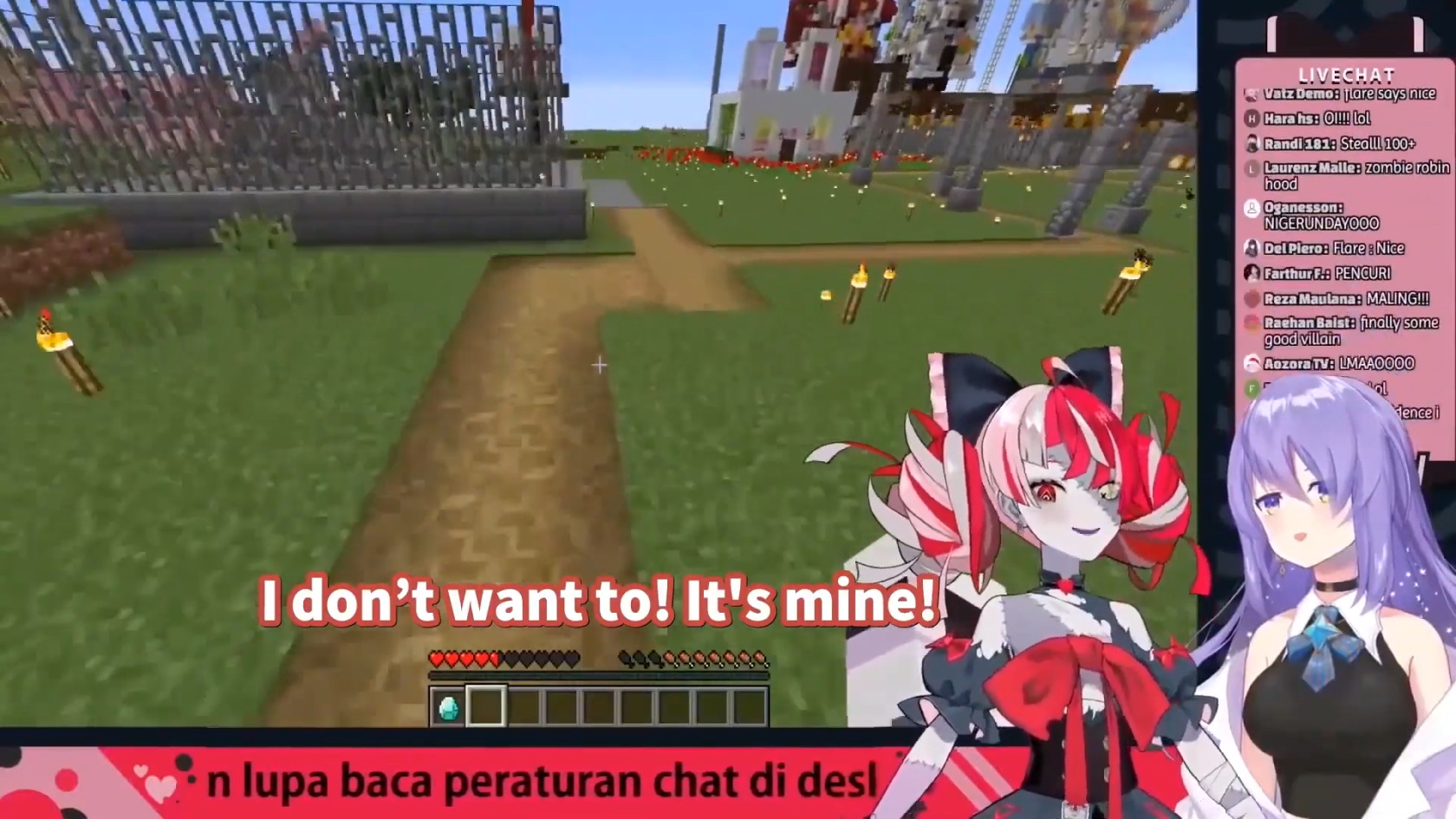](https://wiki.holoresorttls.org//uploads/images/gallery/2025-06/scaled-1680-/UKwBduetjWsZOeIc-image2.png) ##### Standard subtitles with color and border modifications Taken from [*****Towa explains the meaning behind “Palette” \[Hololive Eng Sub | Tokoyami Towa\]***** ](https://youtu.be/gaACICL0IG4) [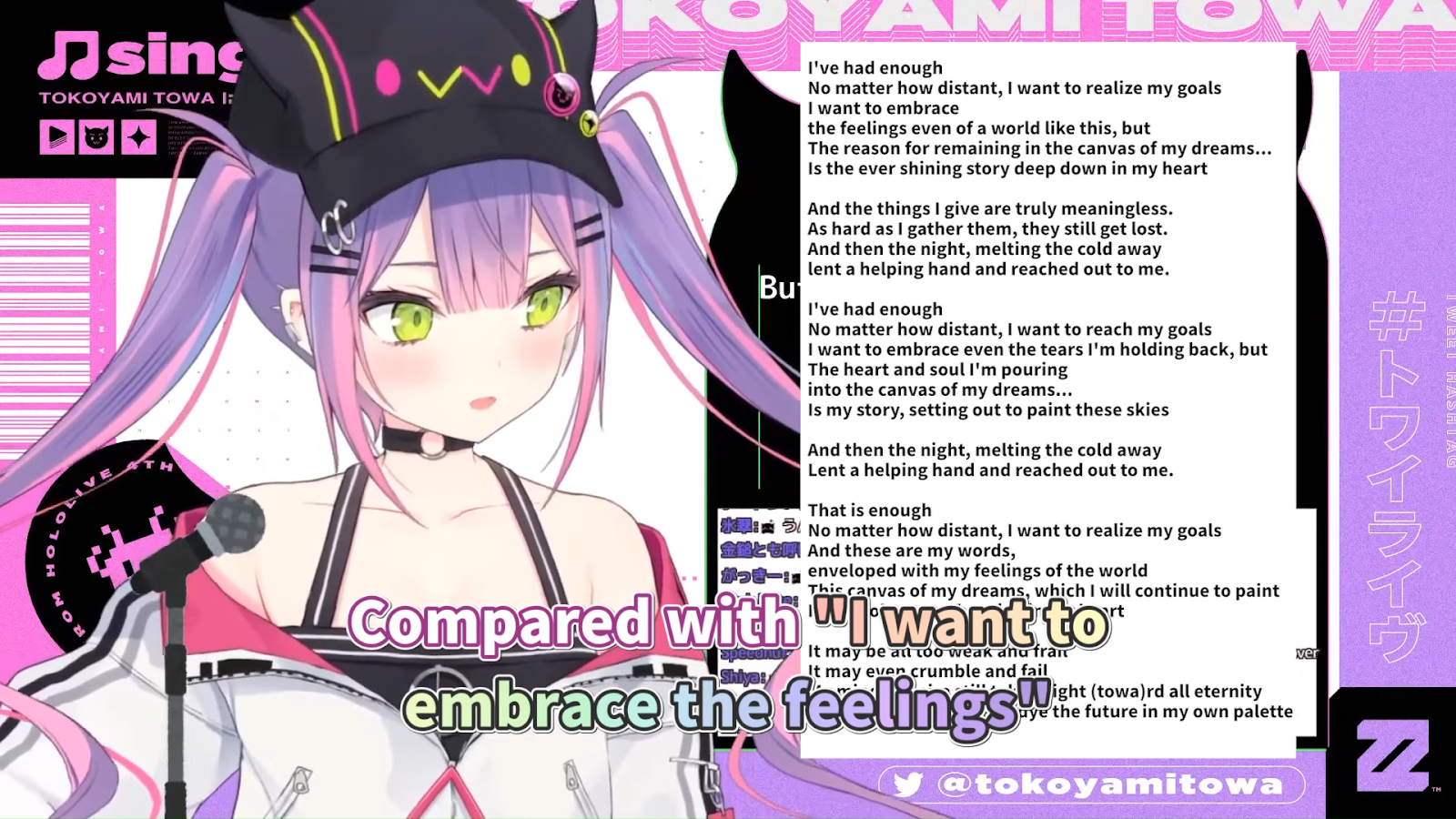](https://wiki.holoresorttls.org//uploads/images/gallery/2025-06/sGEyJGDSHbXimtYO-unnamed.png) ##### Standard subtitles with animation and size modifications **Taken from** [*****Subaru got stood up feat. Shion \[Hololive Eng Sub | Murasaki Shion\]***** ](https://youtu.be/ozgiHt2u8FU) [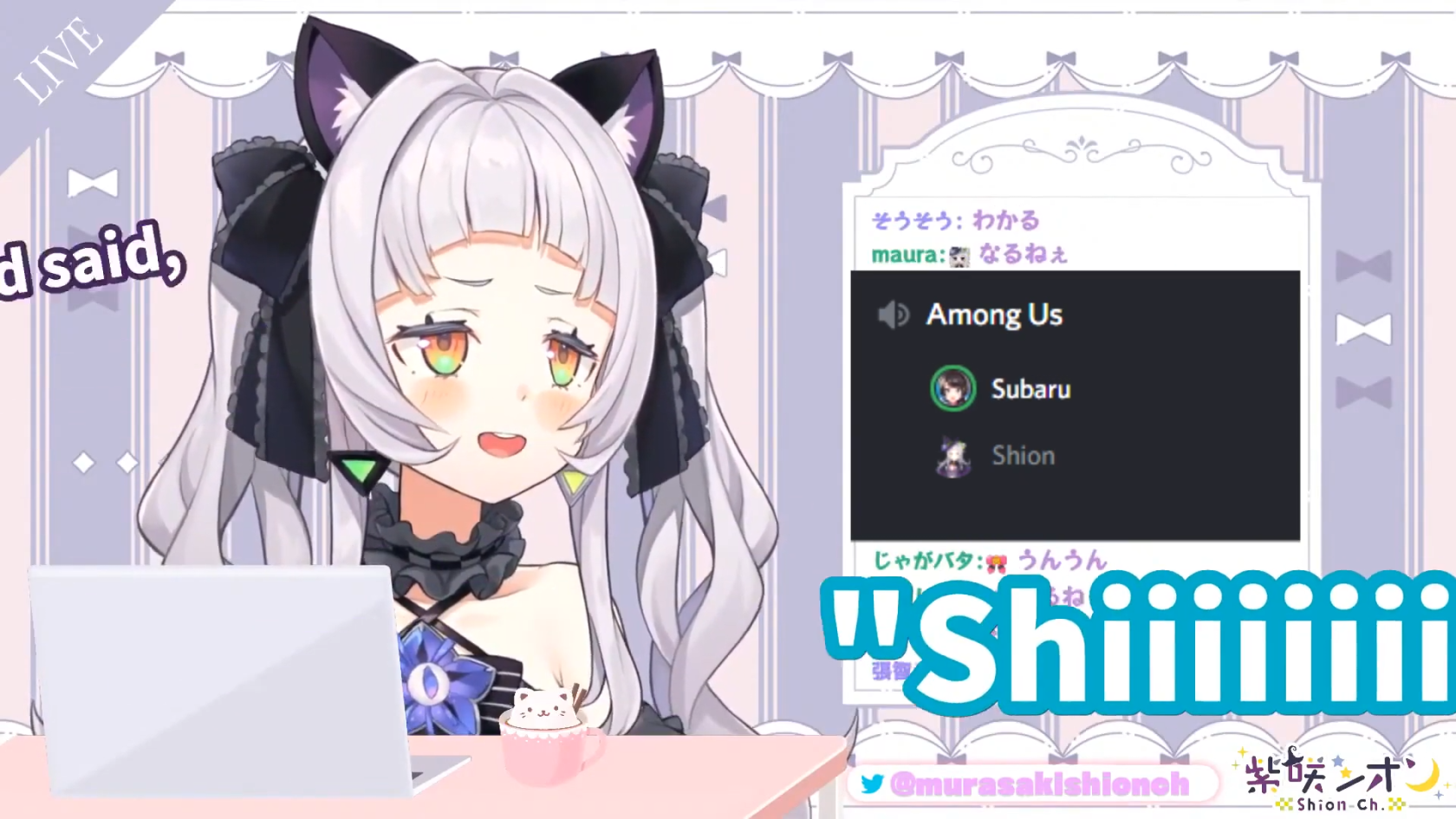](https://wiki.holoresorttls.org//uploads/images/gallery/2025-06/scaled-1680-/5L0YjXcfm0B4UNph-image12.png) ##### Standard subtitles with placement adjustments and multiple speakers **Taken from the HLR Subbing Test** [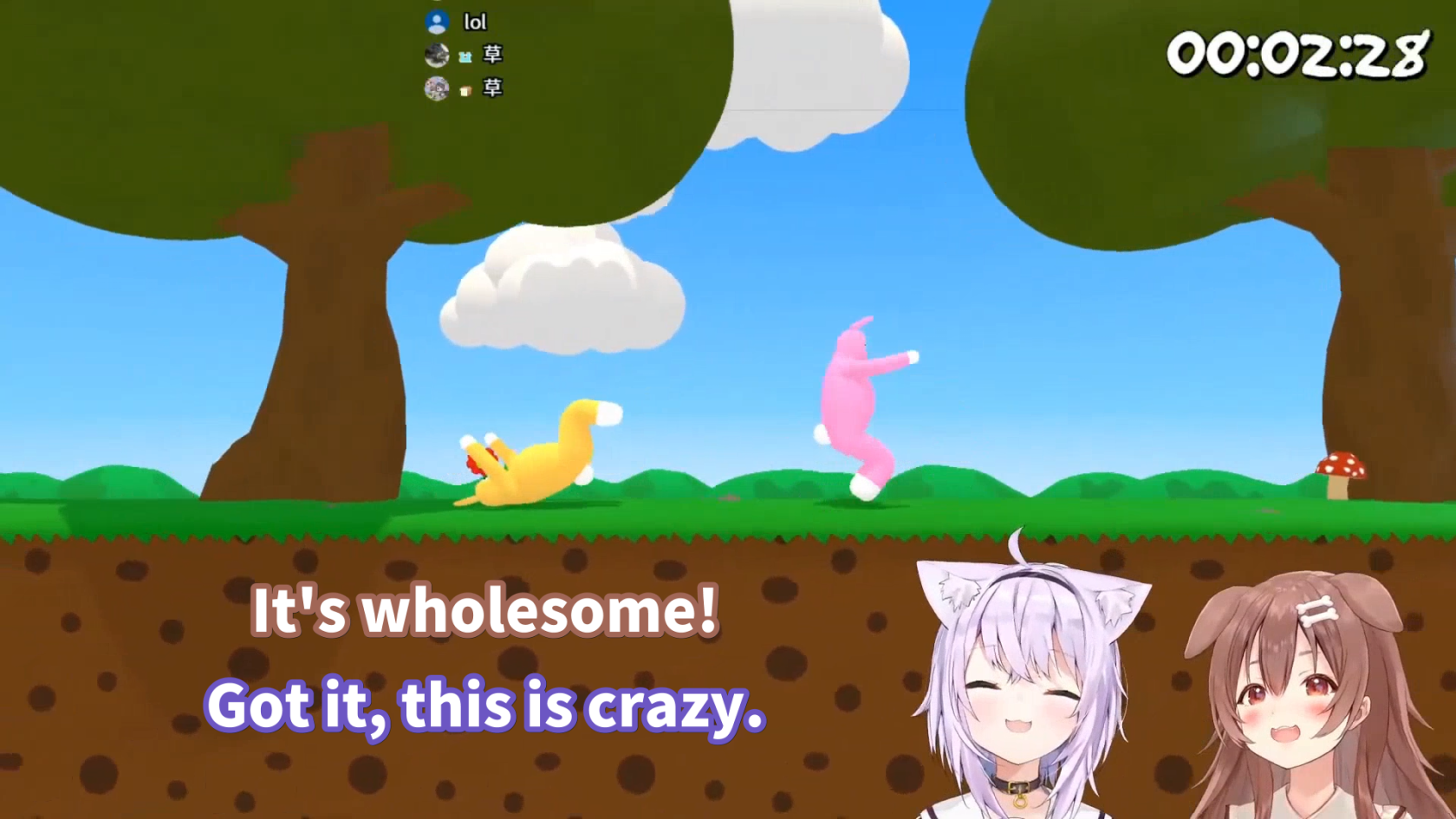](https://wiki.holoresorttls.org//uploads/images/gallery/2025-06/scaled-1680-/YO92FdhJc68N0abf-image4.png) ##### Non-HLR sub implementing HLR guidelines with custom font / typeface **Taken from** [*****Selen fights Giganto in Sonic Frontiers*****](https://youtu.be/OnxkKWfcj5E) [![Masao T - Selen fights Giganto in Sonic Frontiers [OnxkKWfcj5E - 1920x1080 - 0m06s].png](https://wiki.holoresorttls.org//uploads/images/gallery/2025-06/scaled-1680-/U9dcf325cvLsNs9U-masao-t-selen-fights-giganto-in-sonic-frontiers-onxkkwfcj5e-1920x1080-0m06s.png)](https://wiki.holoresorttls.org//uploads/images/gallery/2025-06/scaled-1680-/TjWfKc5Z0F0NrTBx-masao-t-selen-fights-giganto-in-sonic-frontiers-onxkkwfcj5e-1920x1080-0m06s.png) # Additional Typesetting References ##### Here are some additional resources you may find useful: - [Subtitling Guide by lyger](https://lyger.github.io/scripts/guides/subtitling.html) - [BBC Subtitling Guidelines](https://www.bbc.co.uk/accessibility/forproducts/guides/subtitles/https://www.bbc.co.uk/accessibility/forproducts/guides/subtitles/) - [English Timed Text Style Guide by Netflix](https://partnerhelp.netflixstudios.com/hc/en-us/articles/217350977-English-Timed-Text-Style-Guide) - [Typesetting in Aegisub by unanimated](https://unanimated.github.io/ts/index.htm)