
Automation Tools
Aegisub Daydream Cafe
https://github.com/Ristellise/AegisubDC/releases/
Download the latest build and unzip the file where you put your aegisub directory.
i.e [C:\Program Files\Aegisub\]
A modified Aegisub that includes a lot of features to help you with your subbing adventures!
It includes features like “Dependency Control” and “AssDraw”
Dependency Control Tools
These are tools that you can install in aegisub once you have AegisubDDC
Automations > DependencyControl > Install Script
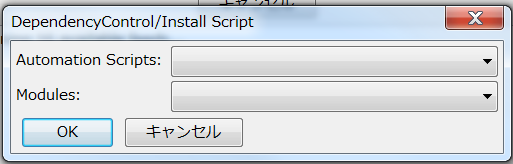
Here are some useful tools and the basics on how to use them. They are also known as “scripts.”
ASSWipe
- Cleans + Sorts your scripts and removes unnecessary lines, reducing file size.
- This is more useful in soft-subbing
Blur and Glow (Double Border)
- This allows you to automatically add double borders to your subtitles
- This also provides as the name says, Blur and Glow.
Gradient by Character
- This makes your line go through a gradient by changing the colors of each character gradually.
- It can only make a gradient horizontally. Vertically if vertical Japanese.
- This is commonly seen and used in youtube captions.
- Just add at least 2 colors to your line.

- Run the script

Gradient Everything
- This is a more versatile yet complex version of gradient which gives you the ability to gradient horizontally or vertically on the screen.
- You need two same lines separately, yet each having its colors.

- You also need to either input a clip border or have all lines have the same pos.
- Run the script and you will be given an interface where you choose how you’d want to gradient the line.
- It will keep already written tags and still gradient horizontally/vertically.
HYDRA
- Allows you to mass add tags on lines.
- Clicking “Load Full” gives you a lot more options.
Hyperdimensional Relocator
- Yes.
- Shit tons of useful features. Here’s a video that shows some of it.
Masquerade
- There’s a lot of tools that can turn clips into drawings but this one does it best.
- Simply draw a clip, select “from clip” mask type, and click “Masquerade”.
Shapery
- Made to replicate most of the tools used in Adobe Illustrator.
More may be added soon.
Link to manuals for certain tools, including Blur and Glow, HYDRA, Colourise, and Hyperdimensional Relocator:
https://unanimated.github.io/ts/scripts-manuals.htm
Off the Shelf Tools
These are some tools that aren’t in DepCon but can still be accessible through other means. Mainly GitHub.
- Perspective
- Chloro
- Centipede
- More may be added soon.