
Subbing for YouTube Closed Captions
Typefacing and submission for YouTube closed captions require a very different process for everything. You will still be using Aegisub, albeit differently.
YTSubConverter
YouTube uses .ytt files for advanced subtitle styling in the YouTube player and not .ass. Aegisub does not support this format, thus a converter is needed.
YTSubConverter can be downloaded here: https://github.com/arcusmaximus/YTSubConverter
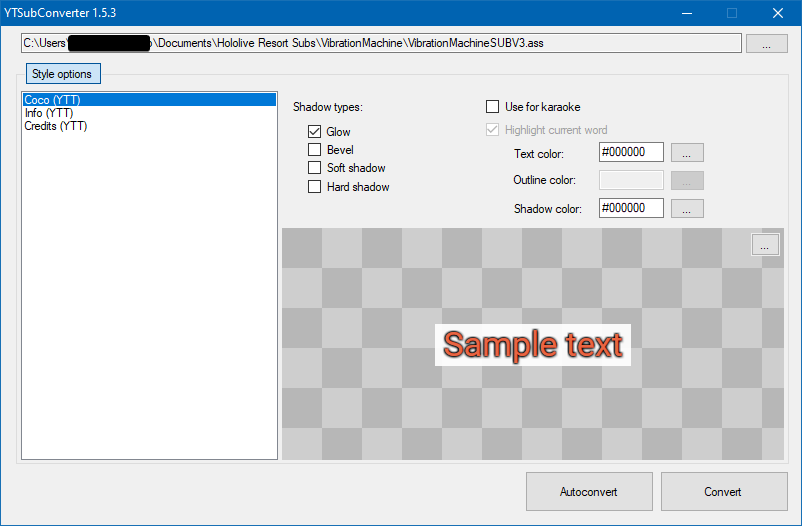
Sample Files
The program includes two sample ASS files to work with: sample1.ass which is for traditional clip subbing, and sample2.ass which focuses more on karaoke subbing.
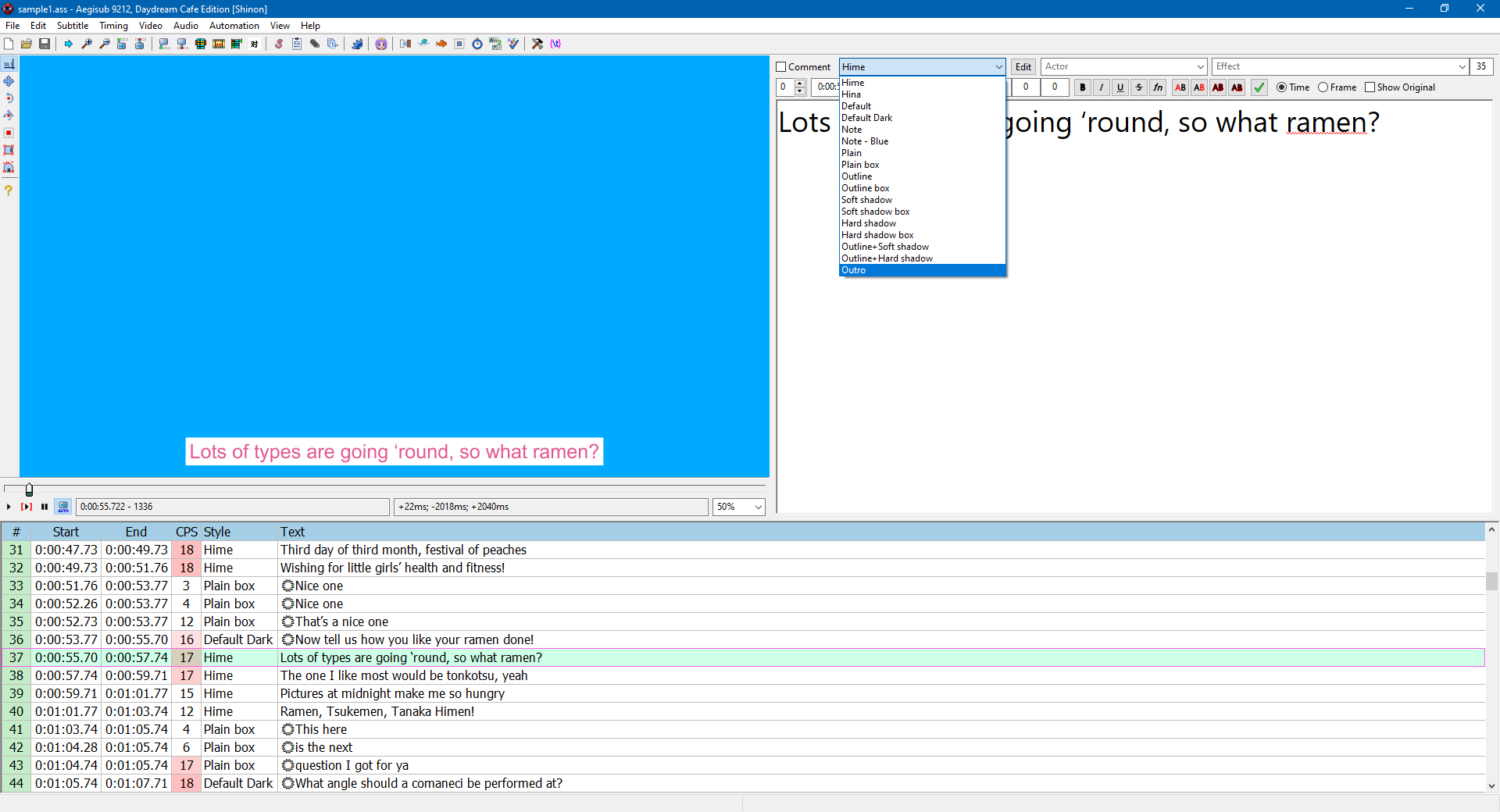
For most of our subbing use cases, it’s recommended to take a look into sample1.ass and see how you can implement proper typesetting with the presets.
This is how Aegisub stylings will be converted to YouTube’s stylings:
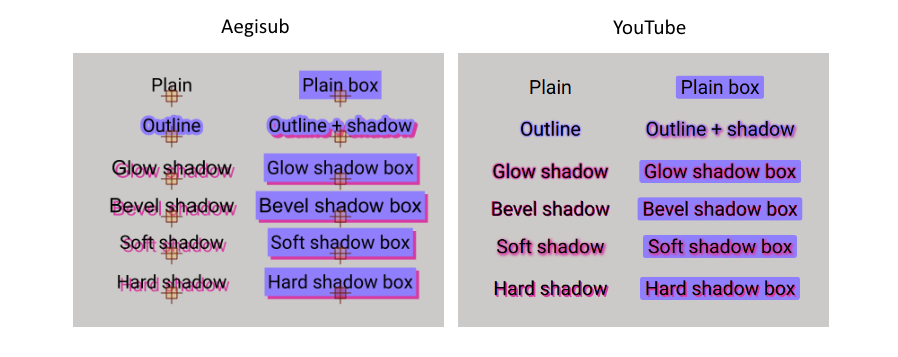
sample1.ass has most of these examples covered, so feel free to experiment with the styles from there, copy and modify them as you wish.
YTT-specific tricks
YTSubConverter allows you to make use of different types of animation or effects regardless of the limitations of YouTube’s subtitle format. You can refer to the README for specifics, but notable examples include {\ytshake} and {\ytchroma}.
Conversion
Once your options are selected, click on Autoconvert to turn your ASS into a YTT file.
Testing
- You can test on PC in two ways: through Fiddler (explained in the readme, which requires existing video) or by uploading your private copy and uploading the YTT to it. (better for non-uploaded videos)
- You can test on Android either with your phone or an Android emulator or compatibility layer such as BlueStacks, WSA, or Waydroid.
Copying an existing video’s styling
YTSubConverter also allows reverse conversion, from YTT or SRV3 to ASS. This allows you to copy the style or make an edit to the YTT file easily. You may download the subtitle file through youtube-dl or by using the link in the README.
Limitations
Some things may not work on all devices, so keep that in mind. There are things that you may have to compromise when applying a style to work on mobile, so weigh your options. Do you want to keep things consistent or provide a better experience for those on PC? Your choice.
Positioning may be different in PC and mobile. Always test and compromise.
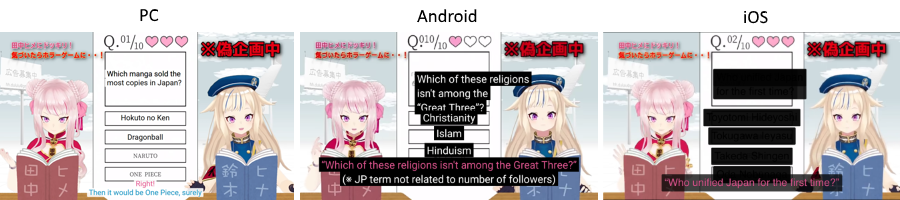
I highly recommend taking a look at official subtitles from hololive production, especially the Holo no Graffiti series, as the subtitles are typeset in a way that can work for both desktop and mobile.