
Blinking and Line Splitting
Blinking
Blinking, also known as “flashing” or “gaps”, is a moment when the timed subtitles disappear and reappear within a few milliseconds/frames. It creates a subtitle effect where subtitles appear to “blink” due to the quick succession of a subtitle, a blank space, then a subtitle, caused by a timing gap in-between subtitles. The gaps in blinking are usually a few milliseconds or frames missing.
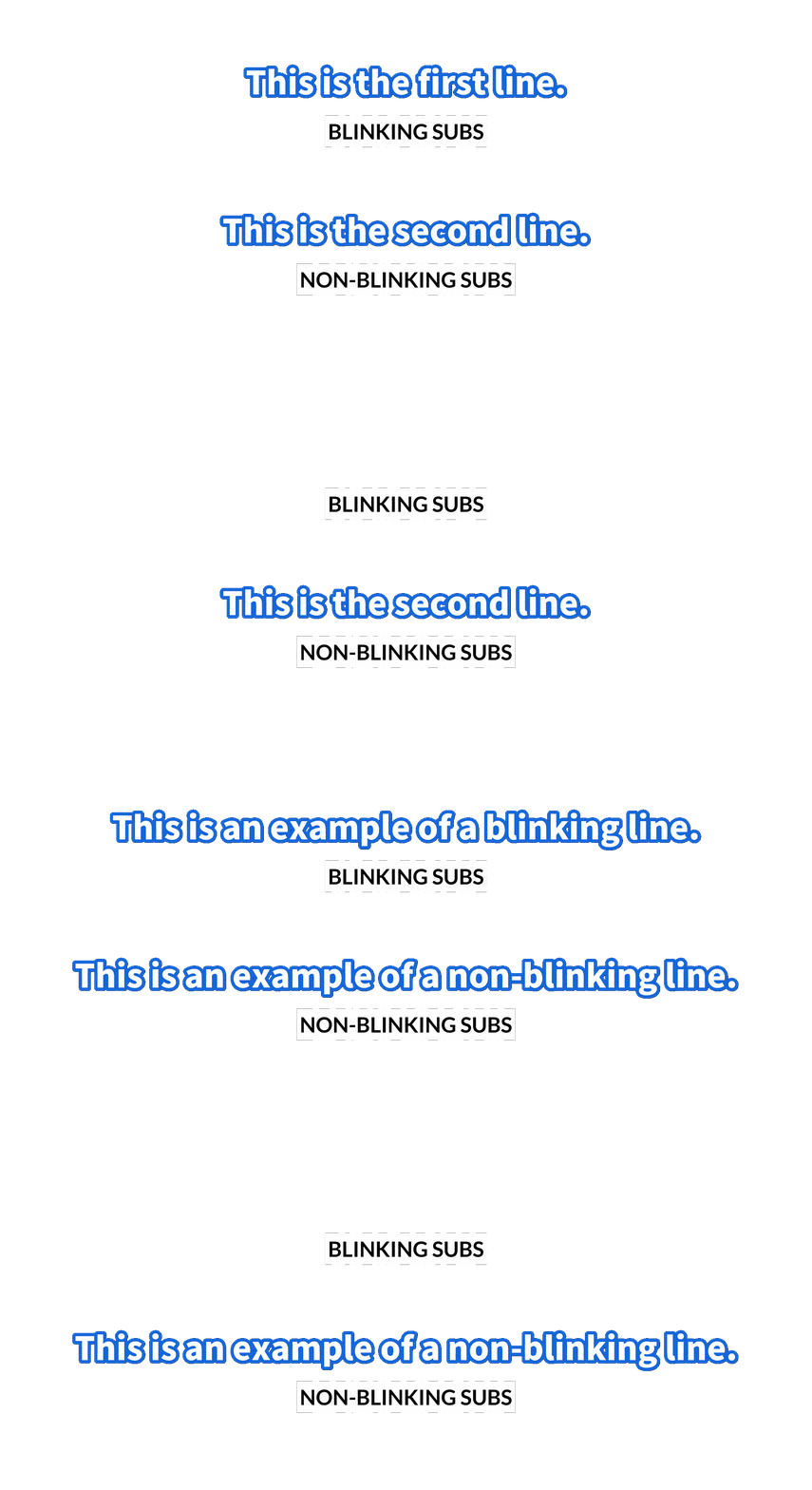
This is a rookie mistake for a lot of new subbers.
Blinking must be avoided at all costs. It causes reading strain and flashing effects, which may induce discomfort, especially to those with photosensitive epilepsy.
For HoloResort Translations subbers, your work will be sent back to you to edit if you submit an ASS file that contains blinking unless you can explain why the effect is necessary for the project you are working on.
You can enable “Snap markers” by checking View > Options > Audio > Snap markers by default in Aegisub.
This lets Aegisub snap audio markers to other markers whenever you click or drag them if they are close enough, reducing the chances of accidentally creating blinking effects.
Line Splitting
Avoid timing a single line for too long. If the line can be broken up into multiple sections, break it apart as such.
- This is also to be hand in hand with the ellipsis/em-dash rules from proofreading.
- This is purely up to your judgment. Do what feels right for you and others.